What a Clean Security Camera Installation Looks Like (and the Red Flags)
A good CCTV installation should protect your property without leaving your home looking like a building site. Cables should be neatly managed, cameras should cover the areas that matter, and you should know how to use the system before the installer leaves.
When comparing CCTV installation Melbourne options, look beyond the cameras themselves. The quality of the installation matters just as much as the equipment. Poor cable routing, badly positioned cameras and a rushed handover can leave you with a system that looks finished but does not work as well as it should.
Here is what to look for before, during and after your installation.
1. The Installer Plans Camera Positions Before Drilling
A professional installation starts with understanding your property, not simply choosing the easiest places to mount cameras.
The installer should discuss what you want to monitor, including your driveway, front entrance, side access, garage or backyard. Each camera should have a clear purpose.
For example, a camera facing your driveway may capture approaching vehicles, while another near the front entrance may help you see visitors. One wide-angle camera may not provide enough detail for both jobs.
Before work begins, check that you and the installer agree on:
- Which areas each camera should cover.
- Where cameras will be mounted and how high they should sit.
- Whether trees, fences, rooflines or parked cars could block the view.
- Where cables will run and where recording equipment will be kept.
- Which areas should remain private, including neighbouring windows and outdoor spaces.
This planning is particularly useful when arranging CCTV installation in Lalor, where the layout of one property may differ considerably from the next. The right setup should suit your home rather than follow a standard camera package.
2. Cables Are Routed Neatly and Protected
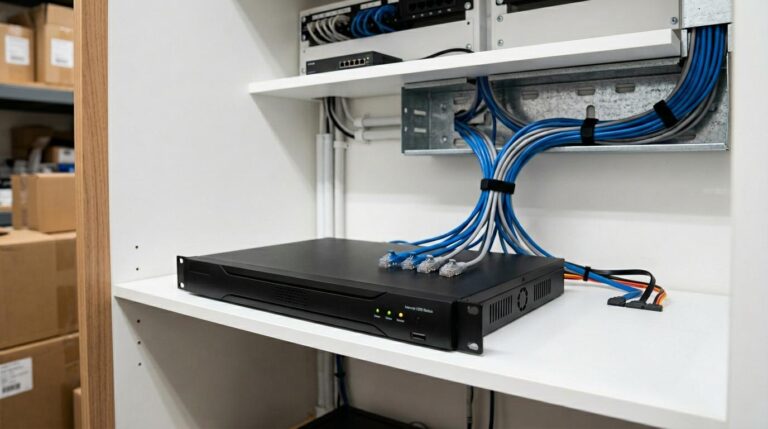
Neat cable management CCTV work should not leave wires hanging loosely along walls, draped across doorways or exposed where they can easily be damaged.
Where possible, cables should follow suitable routes through roof spaces, wall cavities or existing pathways. Sometimes, surface-mounted conduit is the better option. What matters is that the route is practical, secure and finished neatly.
Look out for these red flags:
- Long cables hanging below cameras.
- Loose wires crossing walkways or door frames.
- Conduit that stops suddenly or has open ends.
- Cables stretched tightly around corners.
- Drilling holes left rough or unfinished.
- Cables running where doors, gates or regular household activities could damage them.
Not every home allows completely hidden wiring. Older houses, brick walls and difficult roof access can affect what is possible.
A good installer should explain the options before work starts. If visible conduit is needed, ask where it will run and how the finished result will look.
3. Drilling and Finishing Work Are Part of the Job
A camera can be mounted correctly while the surrounding finish is still poor.
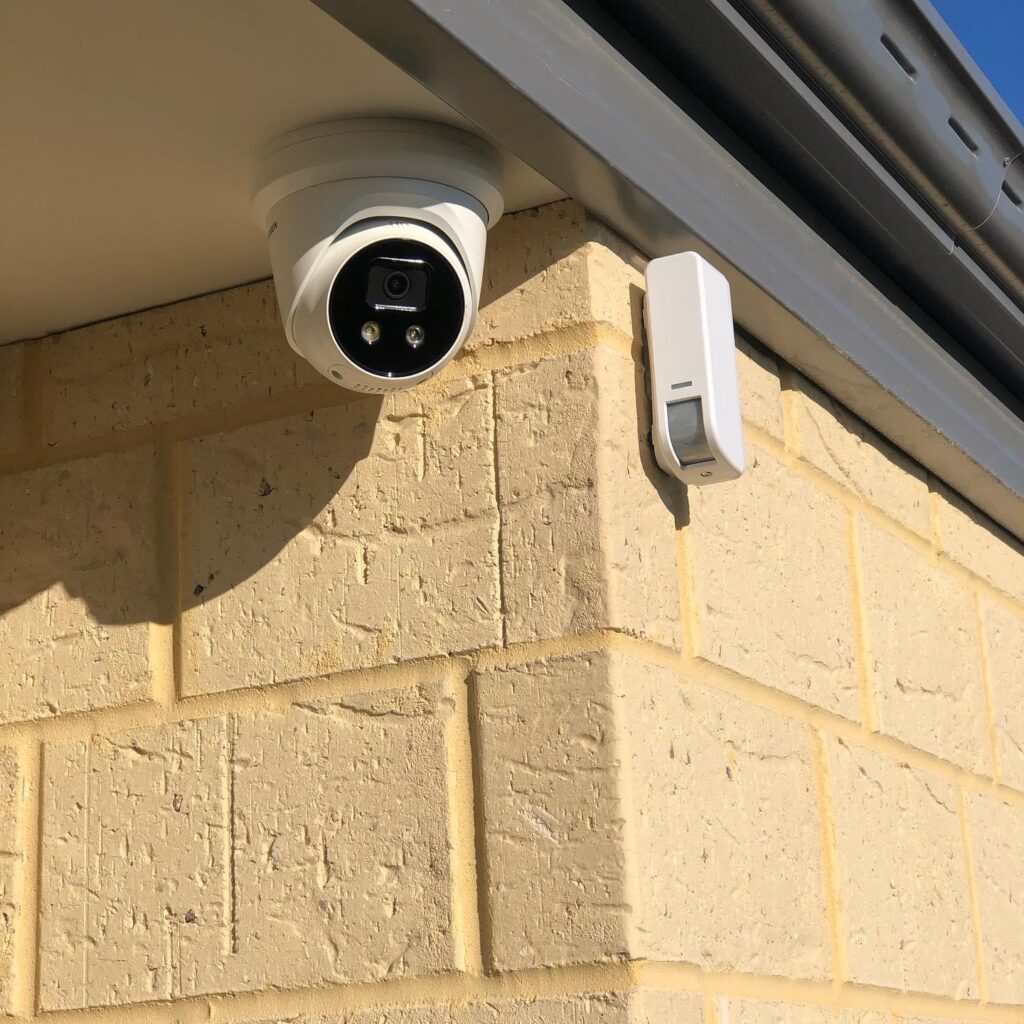
Check the area around each camera and any cable entry points. Holes should be finished appropriately, unused openings should not be left exposed, and work areas should be cleaned before the job is considered complete.
Inside the house, look around the recording equipment, power points and any accessible cable routes. There should be no unnecessary mess, loose packaging or leftover cable pieces.
Before installation day, ask how the team plans to protect the work area and clean up afterwards. Also ask who will complete the work if subcontractors are involved and who you should contact if something needs attention.
These questions help set expectations before anyone starts drilling.
4. Cameras Cover Useful Areas Without Creating Blind Spots
More cameras do not automatically mean better security. Poor placement can leave important areas out of view even when several cameras are installed.
Ask the installer to explain what each camera can see and where its limitations are. A camera mounted too high may show movement but provide less useful detail. Strong sunlight, reflections, darkness and nearby lighting can also affect the image.
Once the cameras are mounted, check the live view from each one.
- Can you clearly see the intended entrance or access point?
- Is the view blocked by a wall, roof edge or tree?
- Does the image remain useful when lighting changes?
- Are important areas missing between camera views?
- Does the camera capture more of a neighbour’s private space than necessary?
Privacy should be considered during planning, not after a complaint arises. Adjusting camera angles and limiting unnecessary views can help balance useful coverage with respect for other people.
5. The System Is Tested Before the Installer Leaves
A completed installation is more than cameras attached to walls. The system should be checked so you can see that the equipment and its main functions are working.
During the handover, ask the installer to demonstrate:
- Live viewing from the recording screen or connected device.
- How to find and play back recorded footage.
- How to check whether recording is working.
- How to use the mobile app, if your system supports it.
- How to identify a camera that has lost its connection.
- What to do if you forget your login details or need support.
Do not assume the app is ready simply because it has been downloaded. Confirm that your device can connect to the system and that you understand how to access the footage.
For homeowners arranging professional Security installation in Epping, this is a useful final check before signing off on the work. Take a few minutes to try the main functions yourself rather than relying only on the installer saying everything is ready.
6. The Quote and Scope Are Clear Before Work Begins
Unexpected charges can turn an otherwise straightforward installation into a frustrating experience.
Before accepting a quote, check what is included. The number of cameras is only one part of the job. Cable routing, mounting locations, recording equipment, app configuration and finishing work can all affect the scope.
Ask these questions before confirming the booking:
- Does the quote include the agreed cabling and mounting work?
- Could difficult access or additional materials change the cost?
- Are any repairs, patching or painting excluded?
- Is app setup and a basic demonstration included?
- Are call-out fees or follow-up visits charged separately?
- Who should you contact if a camera stops working after installation?
Ask for any exclusions or possible extra charges to be explained clearly in writing. A clear scope helps both you and the installer understand what a finished job should include.
7. Use a Final Walk-Through to Check the Finish
Before the installer leaves, walk around the property together. This is your chance to catch small problems while the installation team is still there.
Use this simple checklist:
- Every camera is secure and aimed correctly.
- Important areas are visible in the live view.
- Cables and conduit are neatly finished.
- Drilling points and cable entries have been checked.
- The work area has been cleaned.
- Recording and playback have been demonstrated.
- App access has been tested, where applicable.
- You know how to get help if something goes wrong.
A reliable security setup should be practical to use and properly finished, not just visually impressive on installation day.
For broader protection, you may also want to consider how cameras work alongside your home security installation, particularly if you are planning to add an alarm system.
A Better Installation Starts With Clear Expectations
Choosing a CCTV installer is about more than comparing equipment. Look for someone who takes the time to plan camera positions, explain cable routes, respect privacy and show you how the finished system works.
Live Innovations is a family-owned and operated team providing security, electrical and home technology services across Melbourne. If you are considering a new system or upgrading an existing one, start with a clear discussion about your property, the areas you want to monitor and the finish you expect.
If you are deciding between a system for your home and one for a business, this guide to home vs commercial CCTV installation can help you understand the different planning needs.
Request a free quote or inspection and discuss a CCTV setup that suits your home.